
Group Trip Planning App
A Planning, Design, and Publishing Case Study
Comparing Figma Make and Claude (Artifacts and Design)
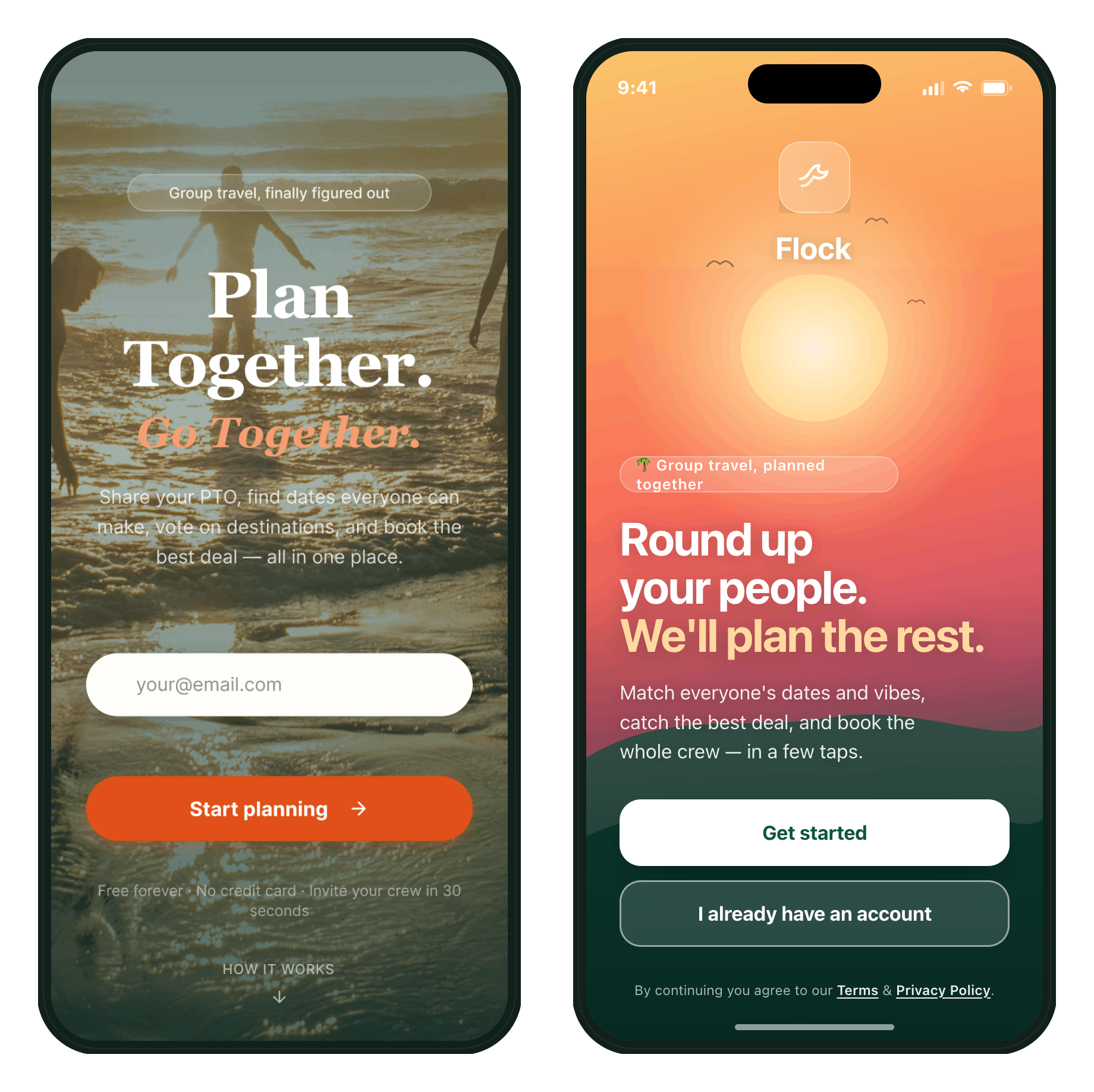
Figma Make Design on the left. Claude Design on the right. Both named the app Flock.
The Project:
As a means to compare Figma Make and Claude I fed both the same prompt:
I want to come up with an MVP responsive app solution to a problem. The problem is couples who are friends want to travel together but due to busy work schedules and limited PTO finding a time all parties are available is challenging. By the time they realize they're free the same long weekend, prices are high to travel (flight and hotel) those days. They would travel more together if they could plan earlier in advance, but no one wants to be in charge.
First, I'd like you to make a Problem Statement then a user flow for how the couples are currently booking (or not booking) their trips. Please ask me any questions to fill in the steps. I know the personas and their goals and pain points.
Process Workflow
Problem Alignment & Q&A: Answered clarifying questions from both AI agents to ensure accurate problem context and flow before moving to ideation.
MVP Feature Storming: Prompted each AI to generate 3–5 potential solutions, selecting the strongest approach for the MVP.
Solution Flow Mapping: Directed the tools to diagram solution flows to map how the chosen features would directly address user pain points.
Wireframe Evaluation: Generated initial structural wireframes, audited the layouts to catch critical execution issues, and manually refined the flows.
Hi-Fi High-Fidelity Rendering: Prompted the final high-fidelity mockups based on the approved, corrected wireframes.
Problem Alignment
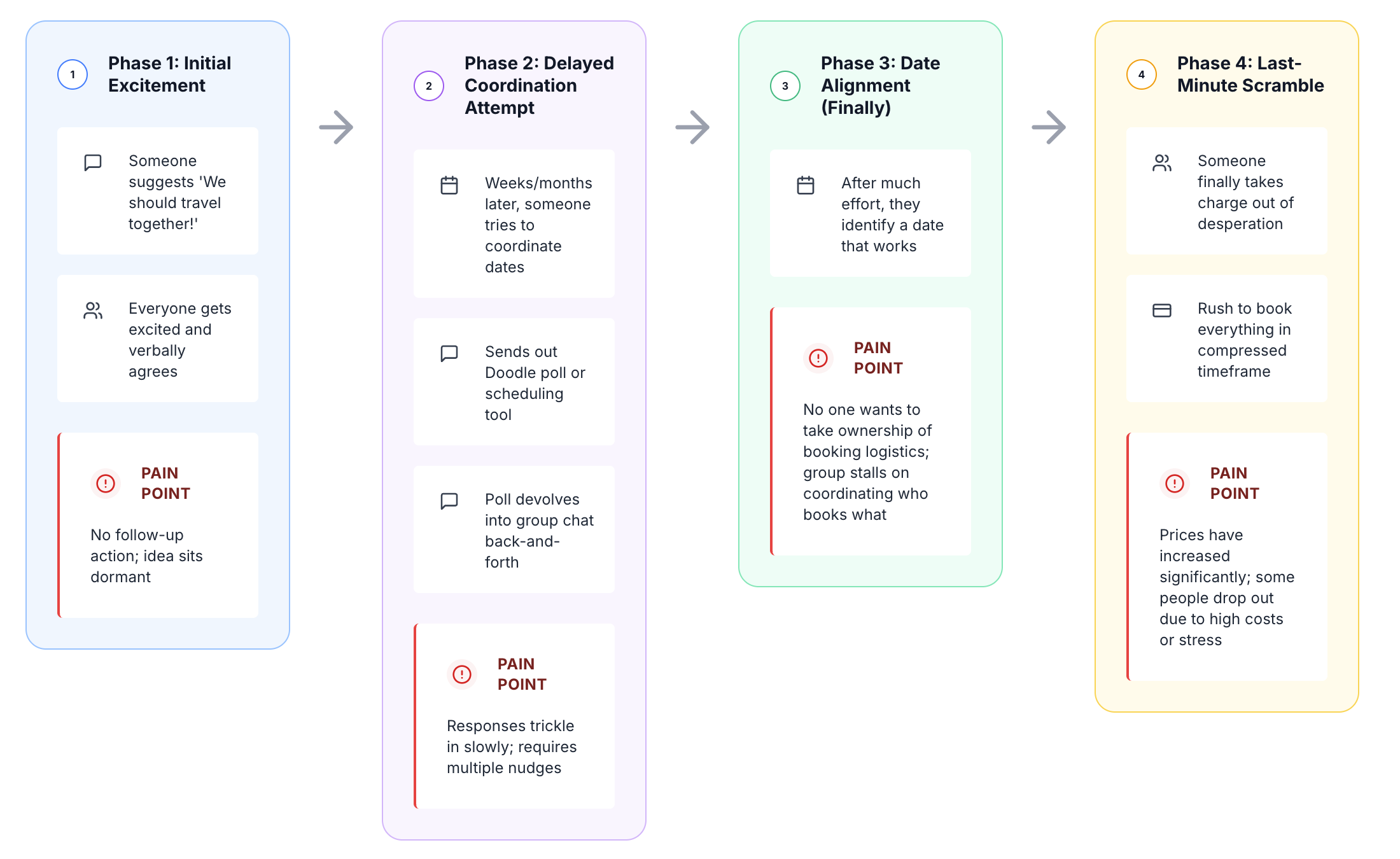
Both tools nailed the problem statement. I then asked to see a problem user flow for the main persona:
Figma AI Problem Flow
Claude AI Problem Flow
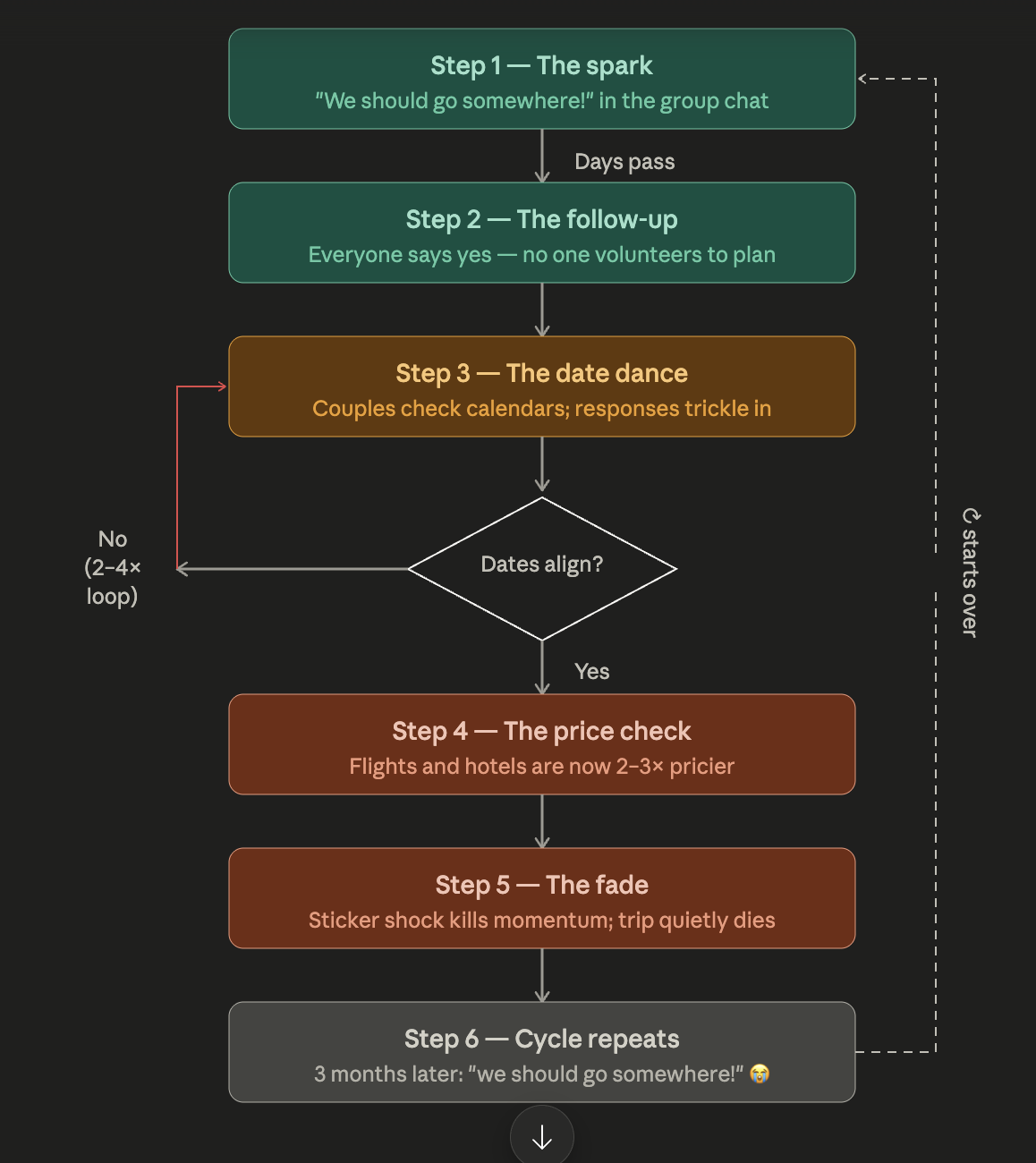
Both tools accurately diagramed the problem flow. Claude’s descriptions are more descriptive and human feeling.
Solution Flow Mapping and Wireframing
Both tools came up with 5 good solutions. For both I selected the date sharing option. I then asked for solution flow diagrams to ensure all pain points were being met.
Next step: Wireframes of the solutions flows
Figma’s Solution Wireframes
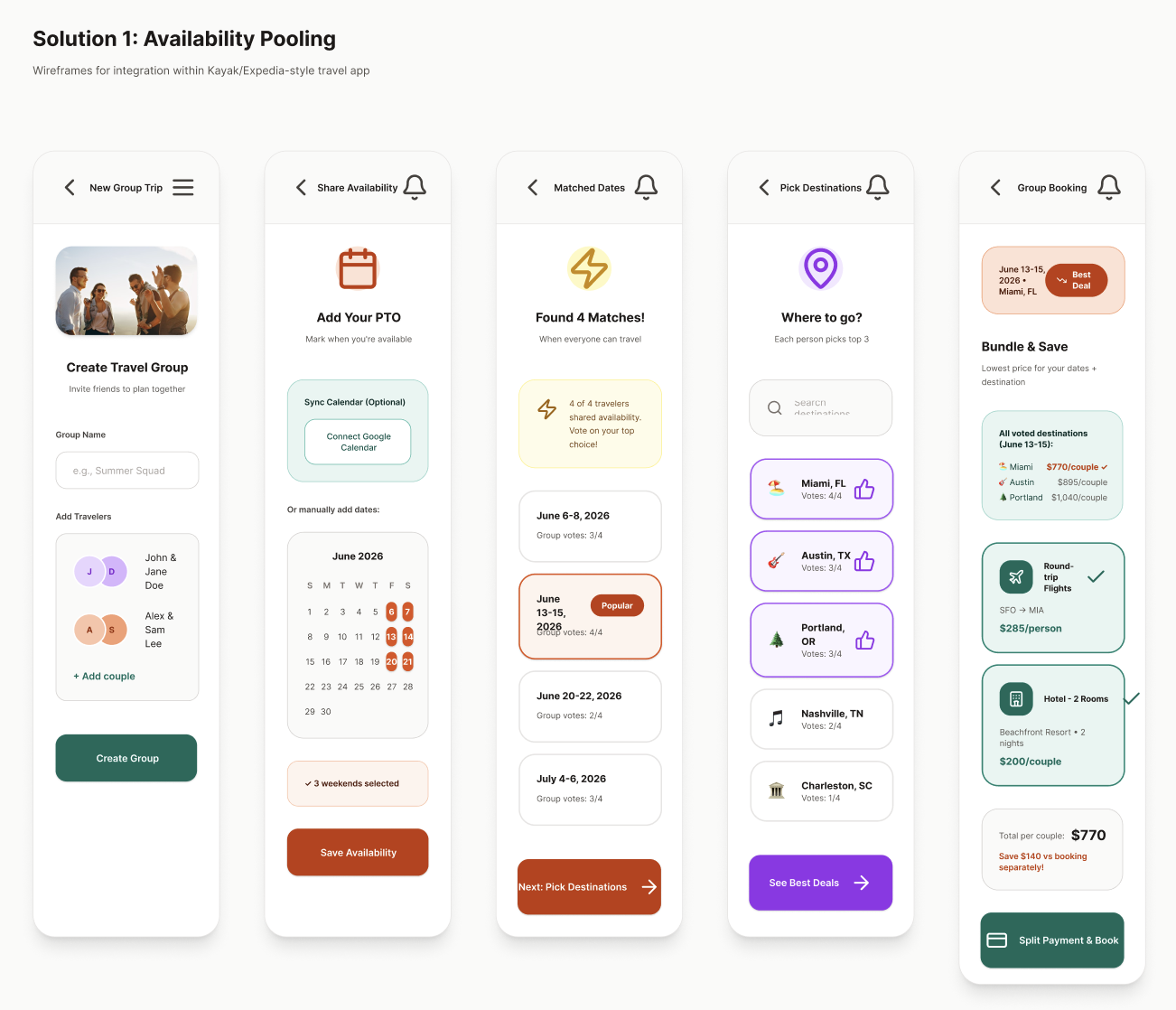
A bit messy, but it got the solution across. I had it add some screens showing the “add couple” flow.
Claude’s Solution Wireframe
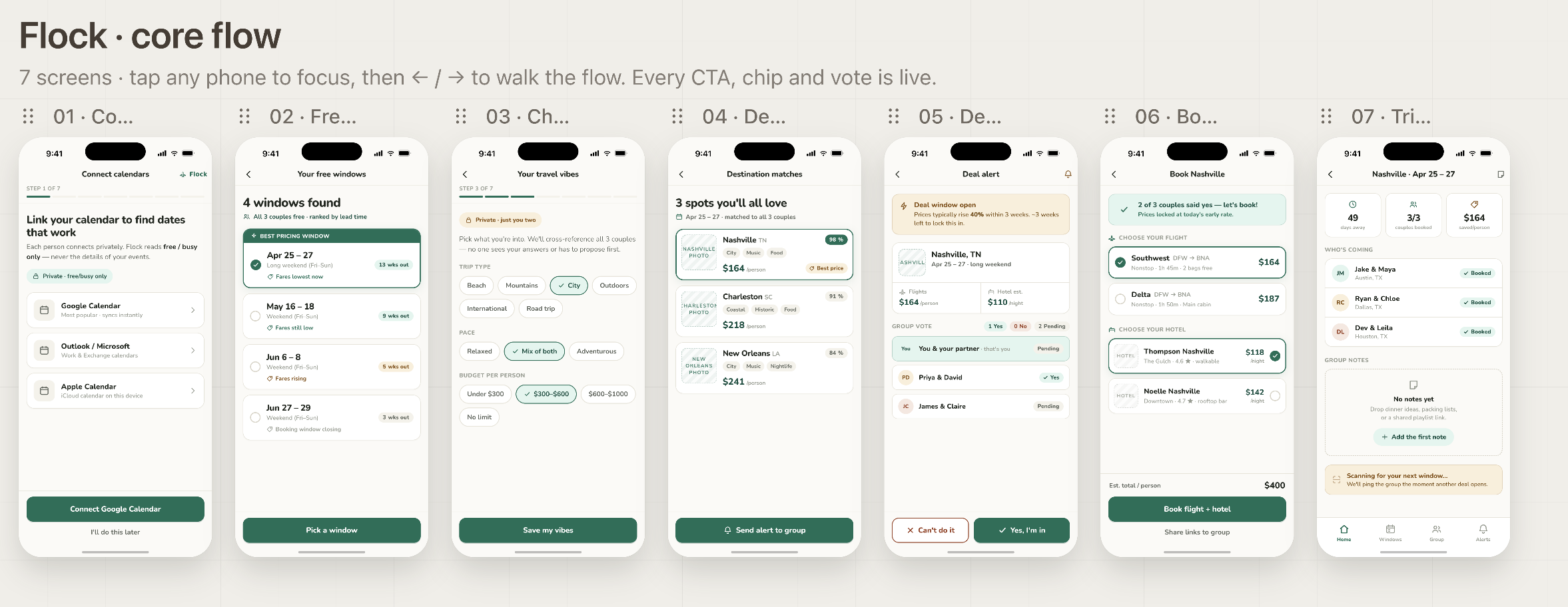
A higher fidelity wireframe flow. It even gave me design options for a few screens.
Hi-Fi Screen Designs
Figma’s Hi-Fi Screens
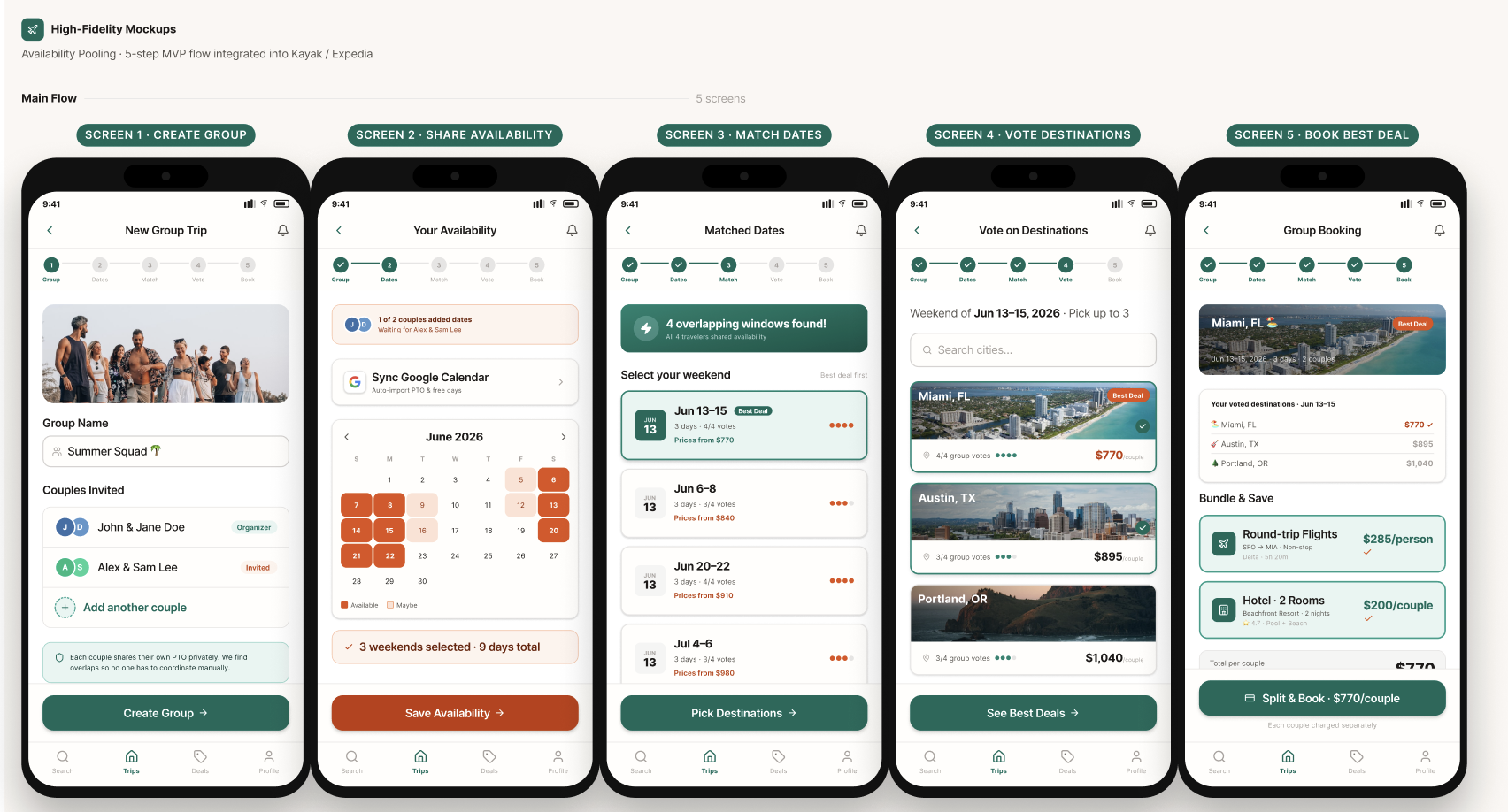
Figma did a good job here. I had it tweak the colors a bit and manually adjusted alignment on a couple frames. I wasn’t blown away but it was easy to copy the designs into a Figma file where I could’ve changed the designs. Also, if I had worked with a design system from the start the screens would have seamlessly matched the style I wanted.
Claude’s Hi-Fi Designs
For this step I switched to Claude Design from using Claude Artifacts. The AI packaged the history for me and once I convinced it Claude Design existed, I was able to import it there.
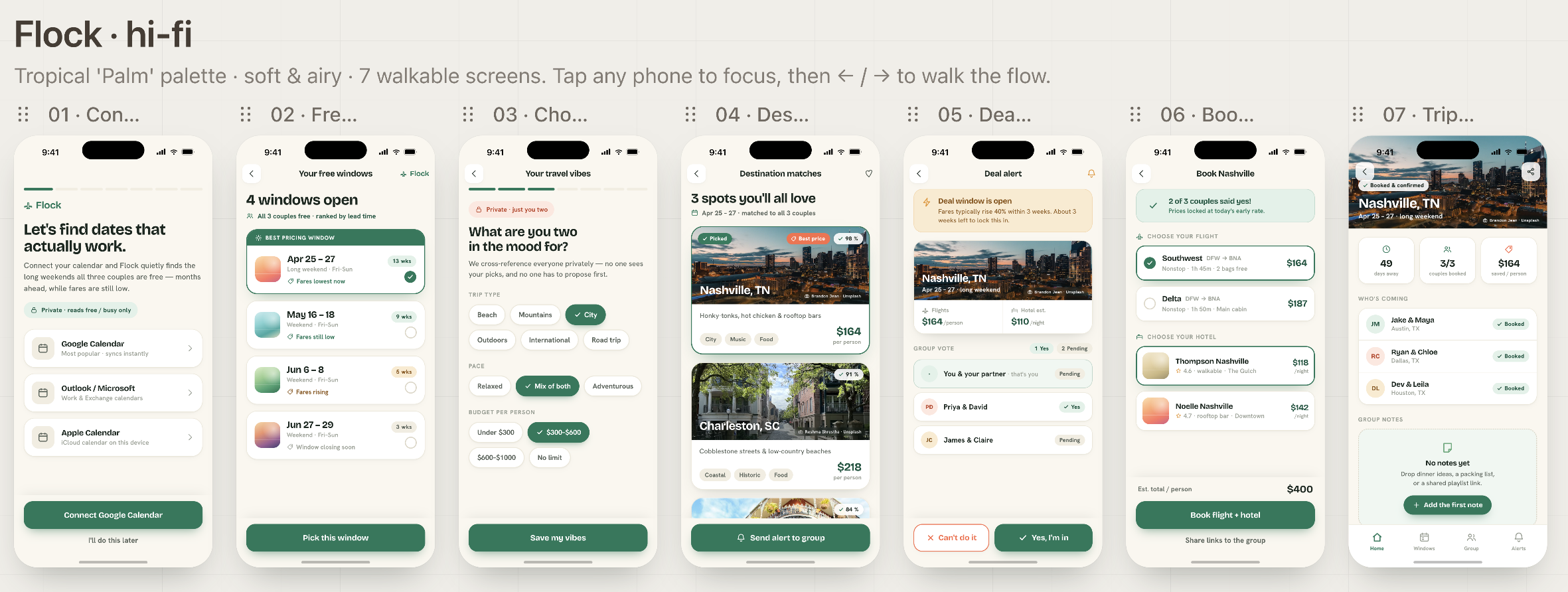
Claude Design took a lot of care to give me options for typography, color palette, and vibe. I was impressed!
Landing Page Design
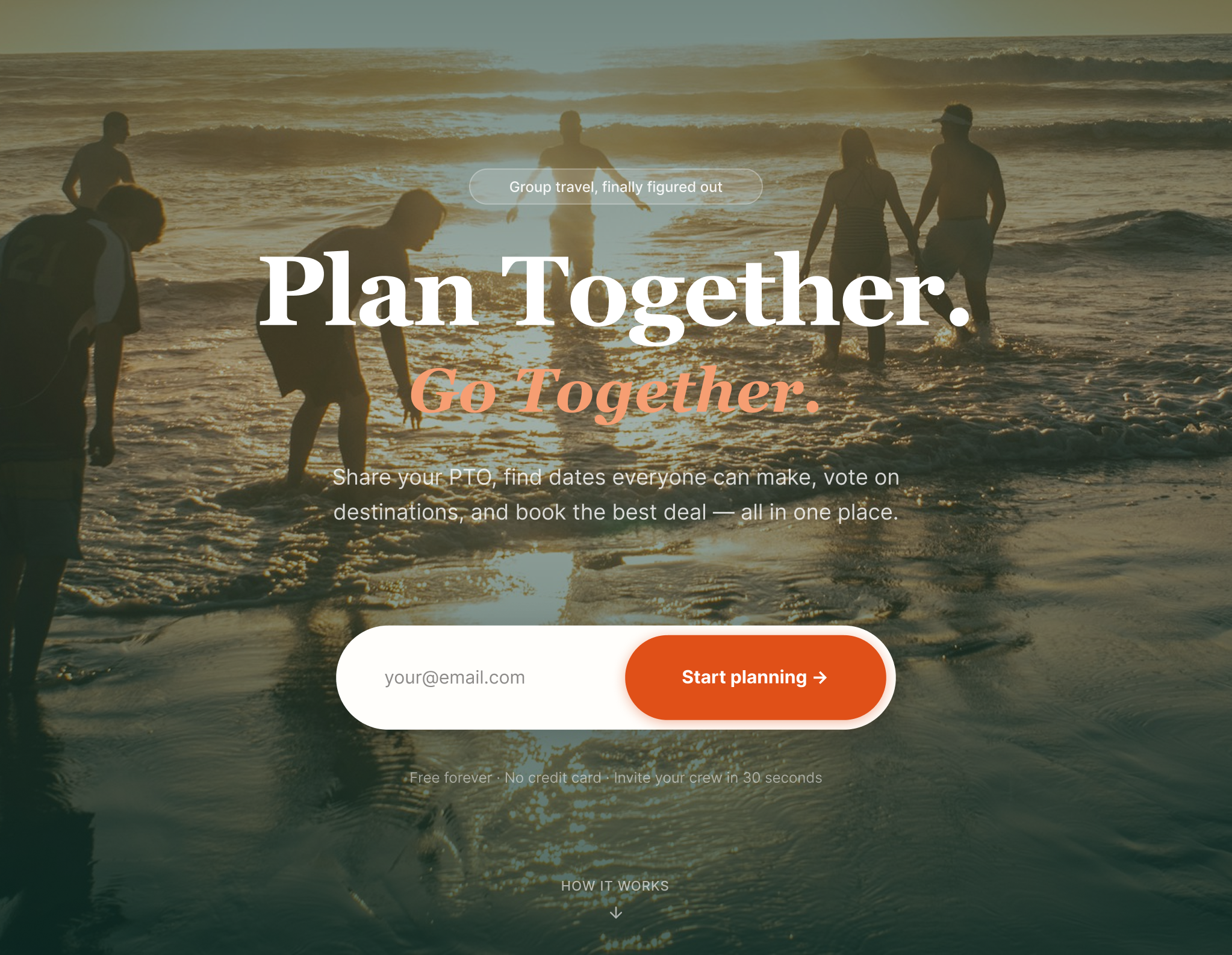
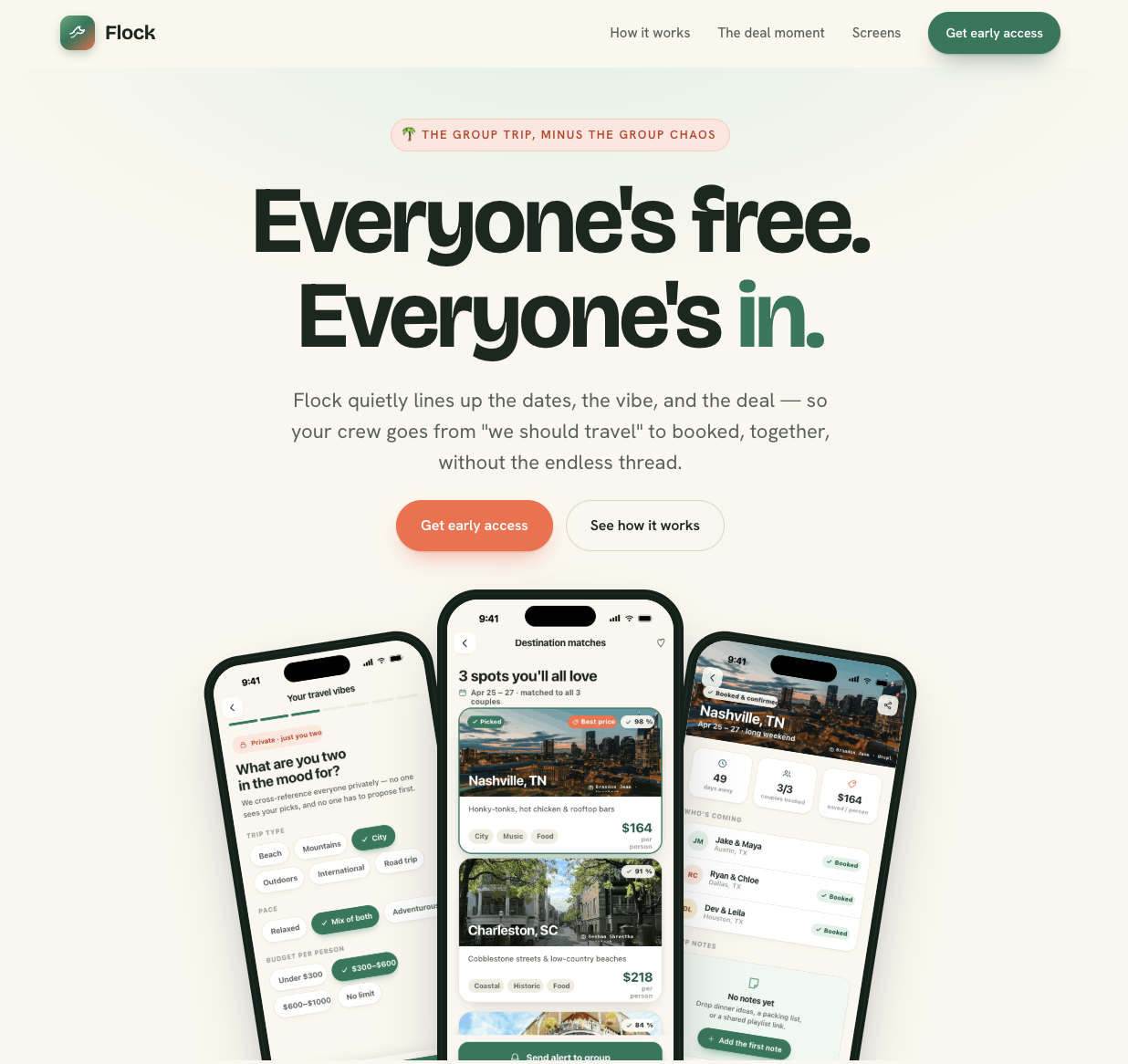
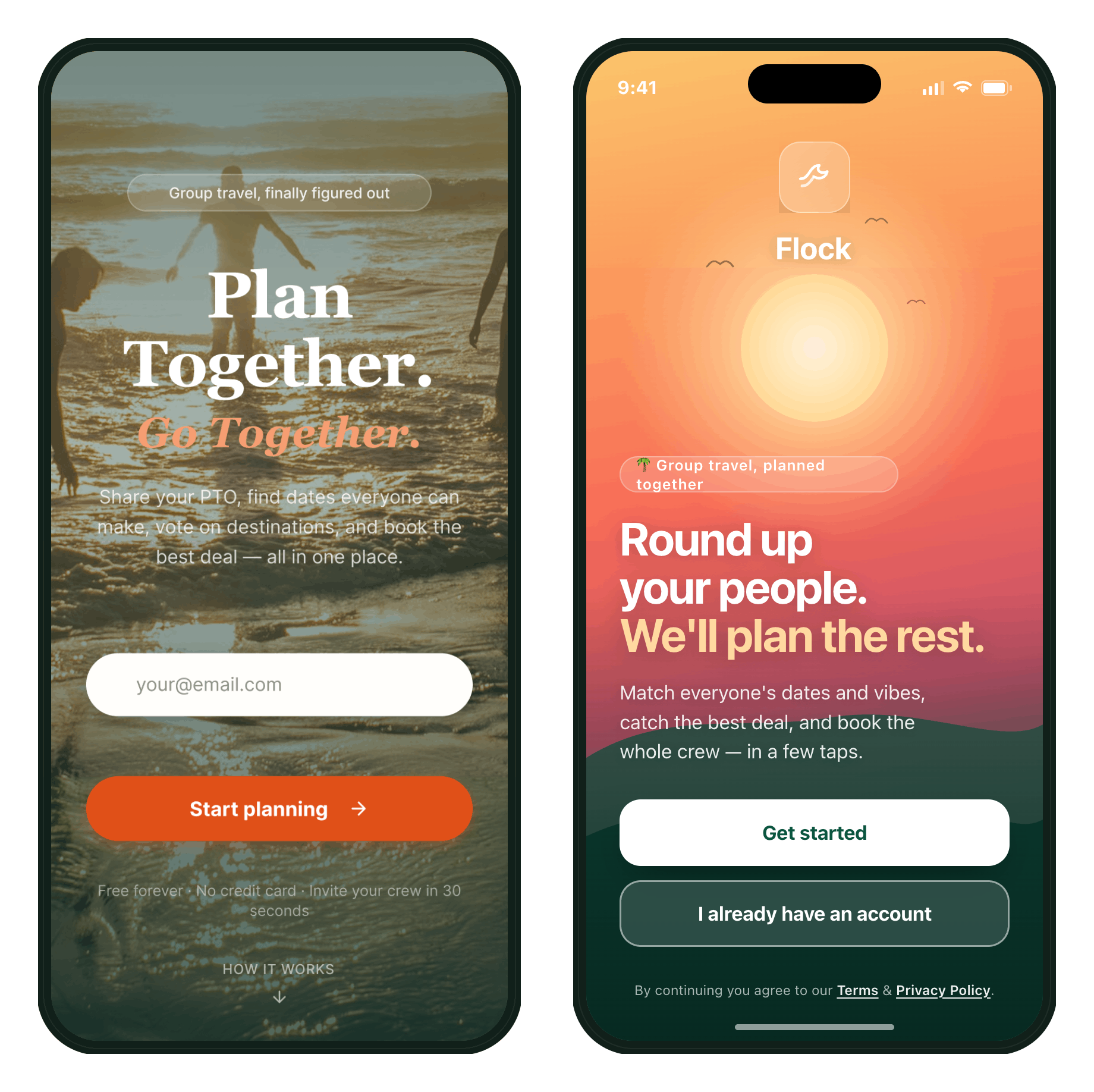
Figma’s landing page on the left. I wasn’t asked for any input.
Claude Design on the right. I was asked several questions about style preferences and I was presented with two options.
Publishing
I hadn’t published before so I did some side inquiries in Gemini. Both Figma and Claude package my projects into a file I could upload to GitHub.
I then uploaded both to Vercel and here we are!
Challenges
Tokens! I bought the pro plan for Figma and Claude in order to complete this project. Figma’s ran out without warning when I was 90% done and said I had to wait a month for the credits to refill. With Claude I was able to accomplish a lot more and only once I had to wait 4 hours for credits to replenish.
Conclusion
Figma Make collected each output into a landing page from the beginning. You can tab through the steps, an unanticipated delight. The design could be better, it didn’t anticipate my needs like Claude, but I love the flexibility to go straight to a Figma file for fine-tuning.
Claude Design was more elegant and professional from the start. It anticipated my needs and gave me more style options to make it match my vision. It also let me do a lot more without running out of tokens.